
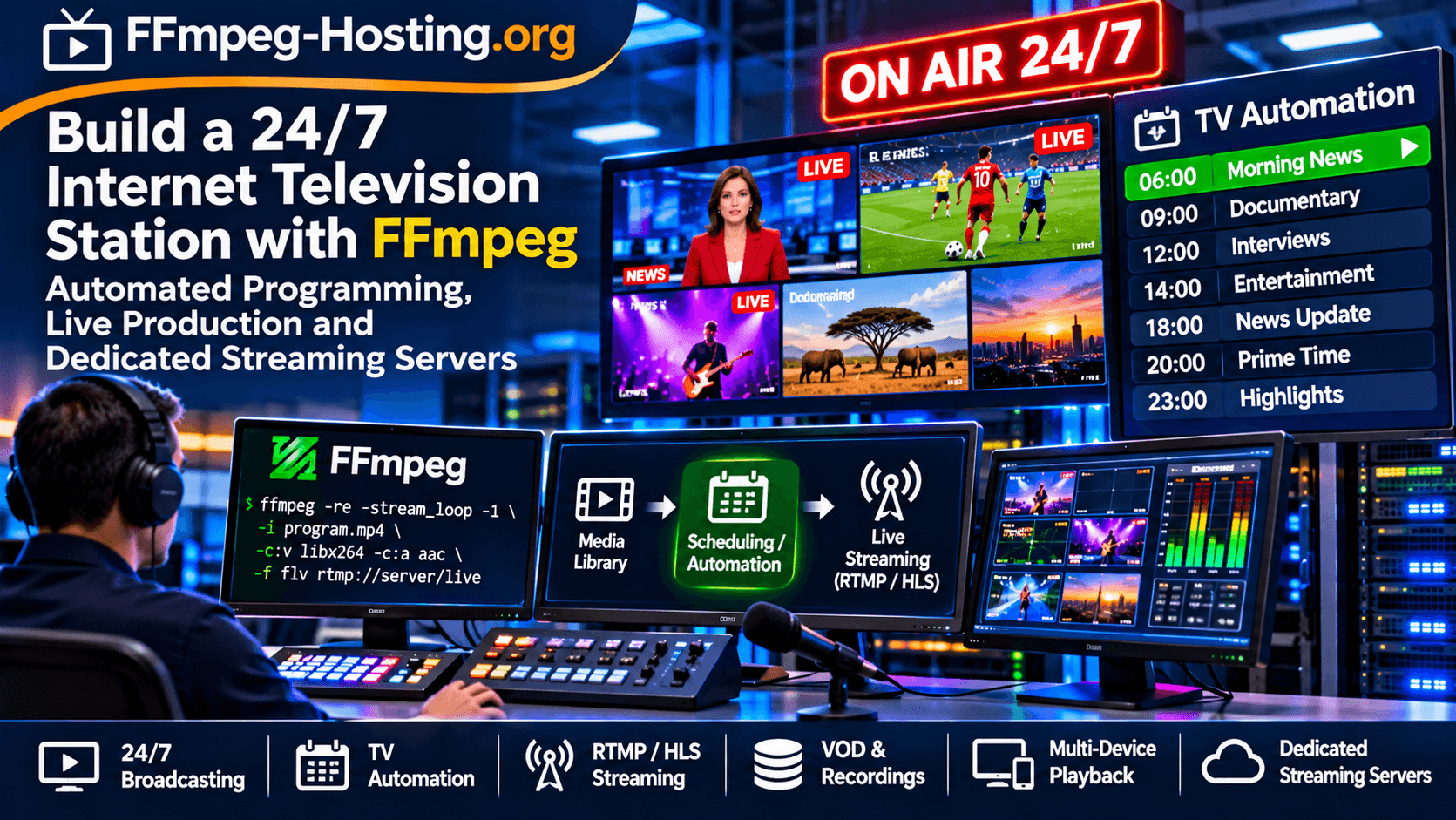
Launching an independent television station once required expensive broadcasting equipment, satellite distribution agreements and substantial financial investment. Today, internet-based television has made continuous broadcasting accessible to independent media organisations, educational institutions, entertainment businesses and individual content creators.
Open-source multimedia software, affordable server infrastructure and modern streaming protocols allow broadcasters to establish television channels that operate continuously without relying entirely on major social media platforms.
However, building a reliable internet television station requires more than uploading videos to a website. It involves programme scheduling, automated playback, live content ingestion, video processing and continuous distribution.
Professional broadcasters can use dedicated live streaming infrastructure to establish an independent broadcasting environment with greater control over their content, technical configuration and audience experience.
The following guide examines the principal components required to build a sustainable 24-hour internet television operation.
1. Understanding the architecture of internet television
An internet television station consists of several interconnected systems.
Unlike a conventional video-on-demand website, where viewers select individual videos, a linear television channel broadcasts a continuous programme that viewers join at any moment.
The broadcasting infrastructure must maintain this continuous output even when no operator is present.
A typical architecture includes:
- A media library containing prerecorded programmes.
- A television automation system responsible for scheduling.
- An encoder or multimedia processing application.
- A streaming server responsible for receiving and distributing video.
- A website or application containing the television player.
- Monitoring systems that detect interruptions.
These components can operate on a single dedicated server for smaller projects or be distributed across multiple servers for larger broadcasting operations.
Separating programme automation from audience distribution can improve operational flexibility and make future expansion easier.
2. Preparing the television content library
A reliable television channel begins with properly prepared media files.
Video content may originate from different cameras, editing applications and production environments. Consequently, files may contain different resolutions, frame rates, audio formats and codecs.
Attempting to broadcast incompatible files consecutively can introduce playback problems, audio interruptions or unexpected changes in video quality.
Standardising the content library before broadcasting can reduce these complications.
An illustrative television content specification might include:
| Parameter | Example specification |
|---|---|
| Video codec | H.264 |
| Audio codec | AAC |
| Resolution | 1920 × 1080 |
| Frame rate | 25 fps |
| Video bitrate | 4 Mbps |
| Audio bitrate | 128 kbps |
| Container | MP4 |
These specifications are examples rather than universal requirements.
A broadcaster targeting mobile audiences may choose a lower resolution and bitrate, while a premium television service may require higher-quality video.
FFmpeg can inspect, convert and standardise multimedia files before they enter the broadcasting schedule.
3. Using FFmpeg for continuous broadcasting
FFmpeg provides numerous tools for processing and transmitting video.
A simple experimental television channel can be created by continuously looping a prerecorded video and transmitting it to an RTMP streaming server.
For example:
ffmpeg -re -stream_loop -1 -i programme.mp4 \
-c:v libx264 \
-preset veryfast \
-b:v 3000k \
-maxrate 3000k \
-bufsize 6000k \
-pix_fmt yuv420p \
-c:a aac \
-b:a 128k \
-f flv \
rtmp://stream.example.com/live/STREAM_KEY
The -re option reads the input at approximately its native playback rate, while -stream_loop -1 repeats the source indefinitely.
The output is encoded and transmitted to an illustrative RTMP destination.
This example requires a compatible streaming server and valid publishing credentials. It does not provide automatic reconnection, programme scheduling or production-level monitoring.
Broadcasters should consult the official FFmpeg documentation for detailed information about input formats, encoding options and streaming protocols.
Although this approach is useful for experimentation, a professional television station requires additional automation.
4. Creating a television programming schedule
Continuous television broadcasting is fundamentally different from repeatedly playing a single video.
A professional station may broadcast news programmes, documentaries, entertainment, interviews, advertisements and live events according to a defined schedule.
Consider the following hypothetical daily programming structure:
| Time | Programme |
|---|---|
| 00:00–06:00 | Overnight repeats |
| 06:00–09:00 | Morning news and information |
| 09:00–12:00 | Educational programming |
| 12:00–14:00 | Interviews and current affairs |
| 14:00–18:00 | Documentaries and entertainment |
| 18:00–20:00 | Evening news |
| 20:00–23:00 | Prime-time programming |
| 23:00–00:00 | Daily highlights |
Television automation software manages the transition between these programmes without requiring an operator to manually start every video.
More advanced systems can support scheduled advertisements, channel branding, programme metadata and transitions between prerecorded and live content.
Administrators should also configure fallback programming to prevent the channel from going offline when a scheduled media file is missing or unavailable.
5. Integrating live events into automated programming
An internet television station should not necessarily be limited to prerecorded content.
Broadcasters may wish to interrupt scheduled programming for breaking news, sporting events, interviews or live studio productions.
Applications such as OBS Studio allow production teams to capture cameras, microphones, graphics and other media sources before transmitting the resulting broadcast to a streaming server.
A television automation system can switch between its scheduled programming and a live input when configured to support this functionality.
When the live event finishes, the channel can return to its normal programme schedule.
The exact switching behaviour depends on the automation platform and streaming architecture.
Testing these transitions is important because inconsistent video formats, audio levels or timestamps can cause interruptions for viewers.
6. Delivering television through HLS
While RTMP remains widely used for transmitting live video to streaming servers, modern internet television platforms commonly use HLS for audience playback.
HTTP Live Streaming divides the broadcast into media segments that can be delivered through standard HTTP infrastructure.
Compatible video players retrieve the playlist and corresponding segments as the broadcast progresses.
HLS is particularly useful because it supports a broad range of viewing devices and can be integrated into websites, mobile applications and compatible smart television platforms.
Adaptive bitrate streaming can further improve accessibility by providing multiple video quality levels.
For example, a television station may offer 1080p, 720p and 480p representations of the same channel.
Viewers with slower internet connections can receive a lower-bitrate representation, while those with faster connections can enjoy higher-quality video.
Generating these additional representations in real time increases processing requirements and must be considered when selecting server hardware.
7. Calculating monthly bandwidth for continuous television
A television channel broadcasting 24 hours per day has different bandwidth requirements from an occasional live event.
Consider a hypothetical channel delivering video at a total bitrate of 2.5 Mbps.
If the average concurrent audience remains constant throughout the month, the estimated outbound data transfer would be:
| Average concurrent viewers | Monthly outbound traffic |
|---|---|
| 5 | 4.05 TB |
| 10 | 8.10 TB |
| 25 | 20.25 TB |
| 50 | 40.50 TB |
| 100 | 81.00 TB |
| 250 | 202.50 TB |
These calculations assume continuous viewing over a 30-day month, direct delivery and decimal bandwidth units. Protocol overhead is excluded.
An important distinction is that broadcasting continuously does not necessarily mean viewers are connected continuously.
Actual traffic depends on audience behaviour, viewing duration and delivered video quality.
Monitoring real consumption allows broadcasters to select appropriate monthly bandwidth allowances and avoid unexpected charges.
8. Storage requirements for programme libraries
A television station must maintain sufficient storage for its prerecorded programming.
At an average total bitrate of 4 Mbps, one hour of video occupies approximately 1.8 GB.
A library containing 500 hours of programming would therefore require approximately 900 GB of storage before accounting for backups, alternative versions and other files.
Broadcasters maintaining large content libraries should consider separate storage volumes, redundant disks and off-server backups.
Disk redundancy can help protect against individual drive failures, but it does not replace an independent backup strategy.
Media libraries should also be organised systematically so that automation software and production staff can identify programmes reliably.
9. Keeping a television station online
A continuously operating television station must be designed to recover from unexpected interruptions.
Potential problems include encoder crashes, missing media files, network failures, exhausted storage capacity and streaming software errors.
A production environment should incorporate automatic process supervision, appropriate restart policies and alerts when the broadcast becomes unavailable.
Monitoring should verify that video is actually reaching the audience, rather than merely checking whether the server responds to network requests.
A server may remain online while its television channel has stopped transmitting.
Larger broadcasters may also benefit from secondary streaming servers, alternative network routes and backup programme sources.
10. Building an independent broadcasting business
Operating an independent internet television station provides opportunities that are not always available through third-party video platforms.
Broadcasters can develop their own websites, establish subscription services, sell advertising and distribute content through branded applications.
They can also maintain greater control over programme scheduling and audience access